I can't pay for servers, so you'll have to host them yourself. The game creates a local LAN server to work.
Note: Network archiecture is something I'm very bad at and still learning. I highly recommend you only play with friends, This game trusts everything the client sends as true, so hacking is stupidenously easy. Also don't feel like this is required to play, the AI's are badly programmed but do exist if you want to play against something!
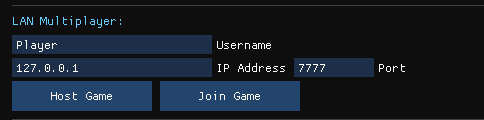
This works out of the box and is the easiest way to play multiplayer. To host, simply click "Host Game" under the lobby setup. Keep everything default (IP: 127.0.0.1 & Port: 7777). Then other players can join as long as their connected to the same local WiFi connection as you. They also join with the default IP and port.
If you know how to port forward, I'll assume you're clever enough to figure out how to host. In this tutorial we will use a VPN app to avoid port forwarding, most hosted VPNs should work fine but I'm going to be specifically using Hamachi by LogMeIn because it's the most user friendly.
1. Download and install Hamachi on ALL computers that wish to host/join the SandGame lobby.
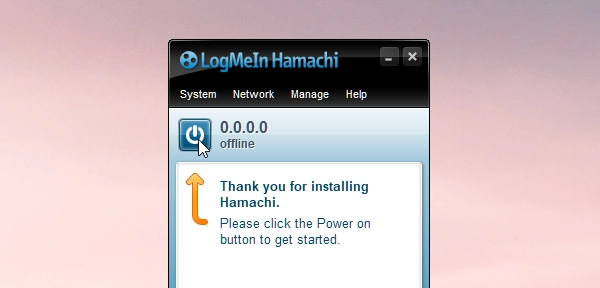
2. Once downloaded and opened, click the power button to get started.
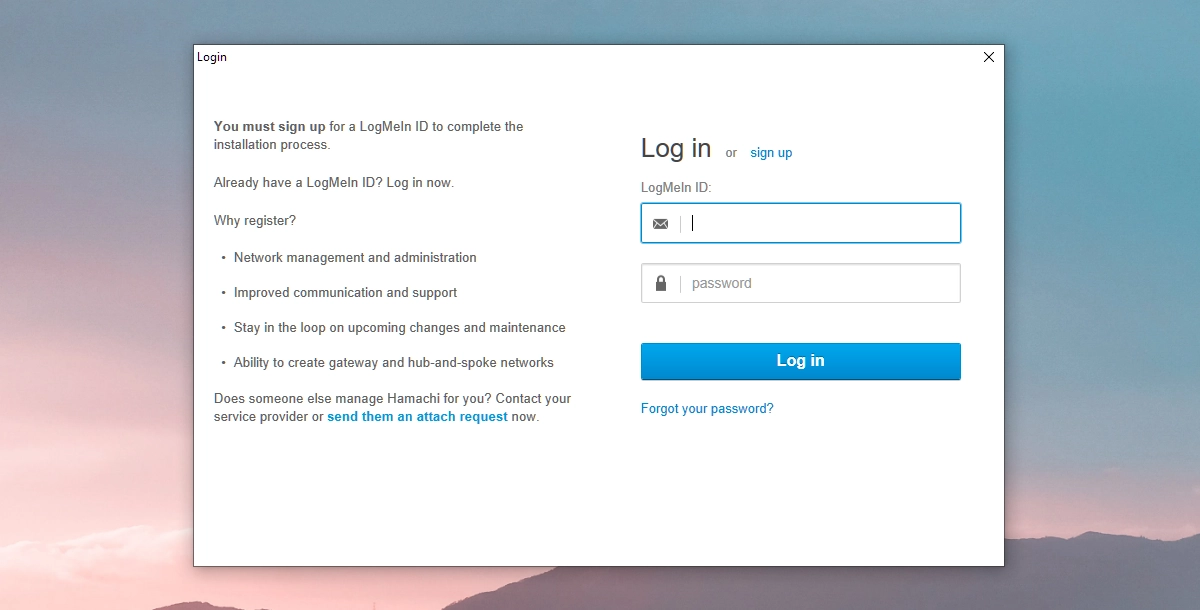
3. Hamachi will prompt you to login in. If you haven't already, create an account. They don't bother to send a verification email so you can create a bogus one if you want or use a service like tempmail.
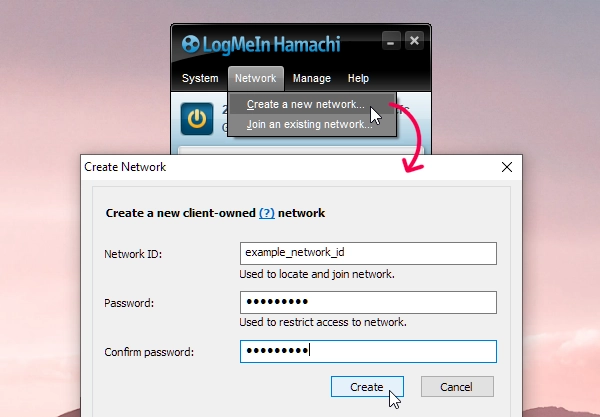
4. Once signed in, someone (preferably whoever hosts often) should create a new network. To do so, go to Network > Create a new network and then enter a network ID and password that other people will use to join it, and click Create
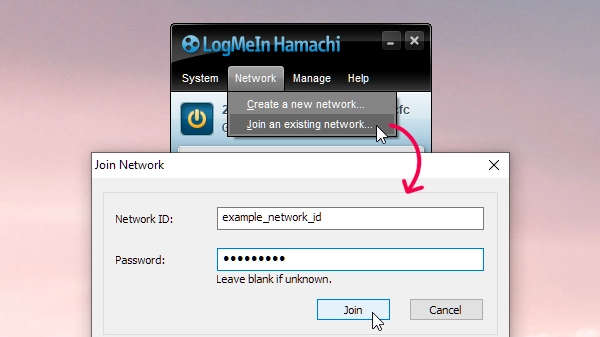
5. Everyone else should join that network. To do so, go to Network > Join an existing network, Enter the network ID and password given by the person that created the network and click Join.
6. Once everyone joined the network, the person who will host the server can copy their IP by right-clicking the numbers next to the shutdown button in Hamachi, and clicking Copy IPv4 address. This address should be given to anyone who wants to join the game

Okay, the most annoying part is done. Now whoever is hosting the game should create a new SandGame lobby, scroll down and click "Host". They should keep the IP and port as default. Alternatively if you are joining, copy the IPv4 address details the host sent you, paste it into the IP Address box (leave the port as is), and then click join. You should all be loaded in and all the host has to do is click play!
- If your trying to join and your stuck on connecting or it eventually times out. You're probably behind a firewall. Temporarily disable it, or allow that particular port.
- Most of the Hamachi text/image instructions where stolen from here, because I was too lazy to write the same stuff myself.
- Due to the amount of pixels that need to be simulated, the game only sends the changes done to the map to the server. This sometimes leads to desyncs. I'm working on this.